
Interpretation · Tabulation · Print

Bring your chart analysis into focus.

Examine analytical tables alongside your charts. Arrange chart material in reusable pages and export supported HTML reports and Speculum views as PDFs.

Reports

Features at a glance

Chart analysis

  • Chart Analysis
  • Rulerships
  • Horary
  • Aspects List
  • Sorted Aspects
  • Aspects Analysis
  • Chart Point Sort
  • Sensitive Points

Midpoint analysis

  • Midpoint Listing
  • Midpoint Axes
  • Midpoint Trees
  • Midpoint Modes
  • Munkasey Midpoint Weighting Analysis
  • Difference Listing

Points and specialist reports

  • Arabic Parts
  • Star Aspects
  • Star Parans
  • Planetary Nodes
  • Asteroids
  • Extra Bodies
  • Extra Ring Points
  • Developmental Age
  • Speculum
  • Ashtkoot Summary and Detailed reports

Presentation and output

  • Synastry reports
  • Chart tabulations in reusable page layouts
  • Page Designer report objects
  • Dynamic reports and custom columns
  • HTML report and Speculum PDF export

Overview

Reports

Review the chart's factors

Aspect lists, midpoint material and rulership analysis organise selected chart factors for inspection. Other reports include Lots, star-related material and speculum listings.

Use the report that matches the question. A list of calculated positions and contacts serves a different purpose from a written interpretation.
INTERPRETATION READER
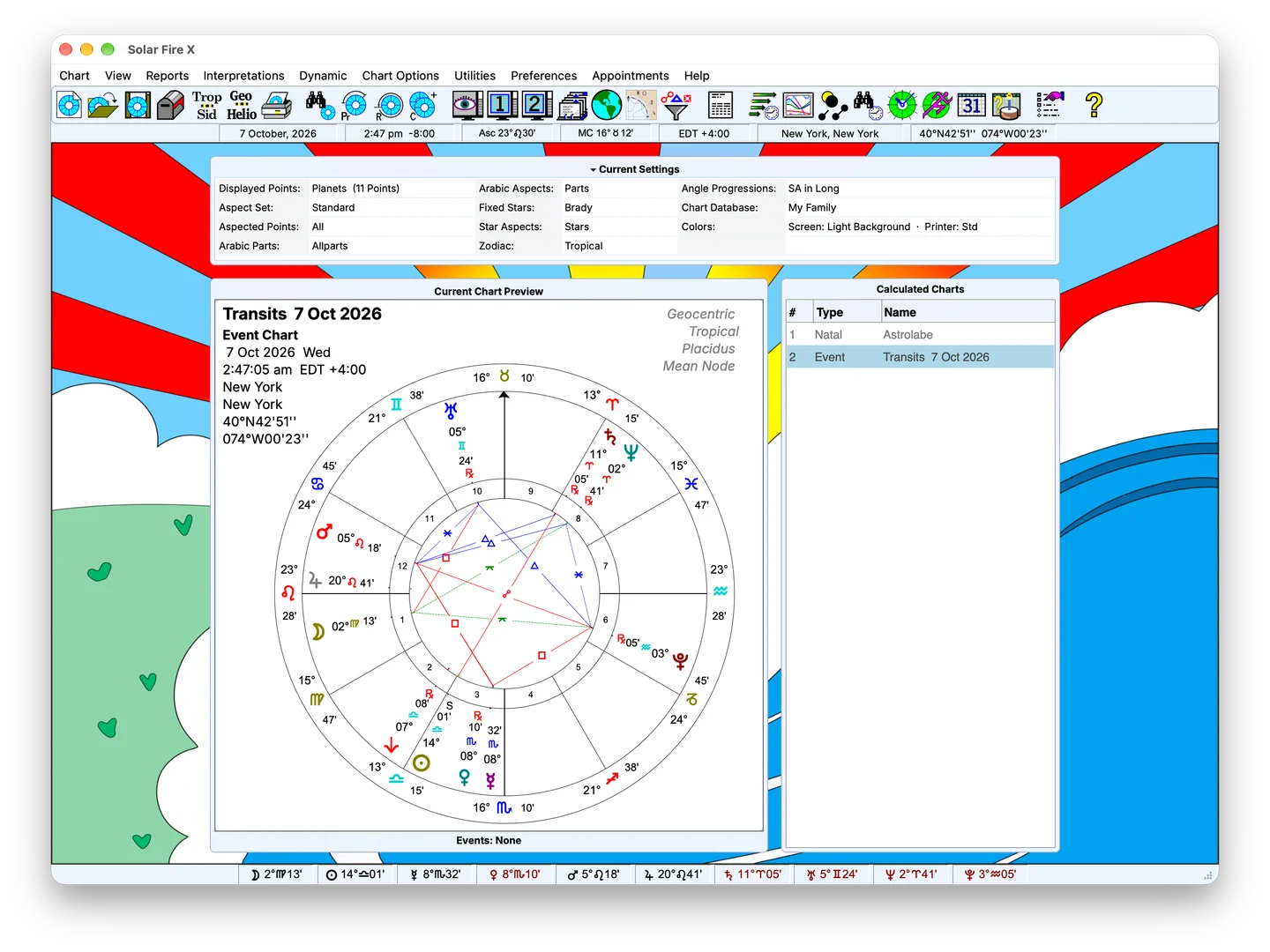
Solar Fire X main screen with chart preview and calculated-chart list

In detail

What's inside

Examine tables in context

Tabulations can make house cusps, declination, chart balances and dignity calculations easier to compare. Specialist tables depend on their selected technique and settings.

Where a report applies a scheme or formula, retain that information with the result. A score or listing needs its calculation context to be useful.

FIG. 02 · RAW CHART → CLIENT PAGE

Bring interpretation material alongside analysis

Choose available text to accompany the chart factors you are examining. Review the descriptions, decide what belongs in the reading and develop the connections in your own words.

FIG. 03 · TABULATIONS FOR THE WORKING FILE
Solar Fire X main screen with chart preview and calculated-chart list

Build a reusable layout

Use Page Designer to arrange chart objects and analytical material in a layout suited to study, explanation or consultation. A focused page can make the relationship between a wheel, grid and table easier to follow.

FIG. 04 · RELATIONSHIP TOOLS
Solar Fire X main screen with chart preview and calculated-chart list

Choose the appropriate output

Export supported HTML reports and Speculum views as PDFs. Use Page Designer to arrange chart objects and analytical material into reusable layouts.

Keep exploring

Related features

Buy Solar Fire X now, or upgrade from a previous version.

Calculate charts, explore timing and locations, and create chart pages for your practice with Solar Fire X.