
Calculation · Wheels · Design

Build the chart. Shape the view.

Calculate natal, event, relationship and derived charts. Compare them in multiwheels and synastry grids, then design wheels and pages around your work.

Charting

Features at a glance

Chart types

  • Natal and event charts
  • Transiting charts
  • Secondary progressions
  • Tertiary and true tertiary progressions
  • Minor and user-rate progressions
  • Solar arc, Ascendant arc and Vertex arc directions
  • User-rate and user-defined arc directions
  • Annual profections
  • Solar and lunar returns
  • Other planetary returns and ingresses
  • Progressed solar returns and Wynn Key returns
  • Prenatal charts: Bailey and Jayne methods
  • Rising and setting charts
  • Lunar-phase charts

Relationships and locality

  • Midpoint composite charts
  • Derived-Ascendant and multi-chart composites
  • Davison relationship charts
  • Coalescent charts
  • Relocated charts
  • Johndro locality charts: right ascension and longitude
  • Geodetic and user-defined locality charts

Harmonics and transforms

  • Harmonic charts
  • Harmonic arc transforms
  • Age and age-plus-one harmonics
  • Antiscia and contra-antiscia
  • Longitude-equivalent declination transforms
  • Zodiacal analogue transforms: latitude, right ascension, declination, azimuth and altitude
  • Prime-vertical, Placidus and Regiomontanus transforms

Vedic chart calculations

  • Vedic natal charts
  • Varga divisions D2, D3, D4, D5, D6, D7, D8, D9 and D10
  • D11 and its alternative division
  • Varga divisions D12, D16, D20, D24, D27, D30, D40, D45 and D60

Wheels and comparisons

  • Single and dual wheels
  • Biwheels, triwheels, quadriwheels and quinquiwheels
  • Synastry grids
  • Multiwheel superimposition
  • Aspect highlighting and filtering

Chart design and specialist settings

  • Wheel Designer: circles, chart layers, line styles and colours
  • Page Designer: reusable chart and report layouts
  • Displayed points, user-defined points and extra-ring points
  • Planet, fixed-star, Arabic Part and asteroid aspect sets
  • Fixed Star Editor
  • Arabic Parts Editor
  • Dignity and Almuten Editor
  • Chart comments and life-event records
  • ACS Atlas place and time-zone lookup
  • Zodiac, house-system and coordinate settings
  • Planet, asteroid, fixed-star and hypothetical-point selections
  • Chart-file organisation and search
  • Planetarium and fixed-star views

Overview

Charting

Establish the starting chart

Enter the chart data and choose the zodiac and house settings required by your method. Examine planetary positions, angles and house cusps before moving into a comparison or derived chart.

Save the settings you use so you can return to the same calculation and compare results consistently.
QUADRIWHEEL

In detail

What's inside

Build related charts

Different calculations answer different astrological questions. Explore progressions, directions and planetary returns, or compare relationship-chart approaches such as midpoint composite and Davison charts.

Harmonic and arc-transform calculations reveal different arrangements of chart positions. Relocated charts show the same event from another place, with locally calculated houses and angles.

FIG. 02 · PAGE DESIGNER
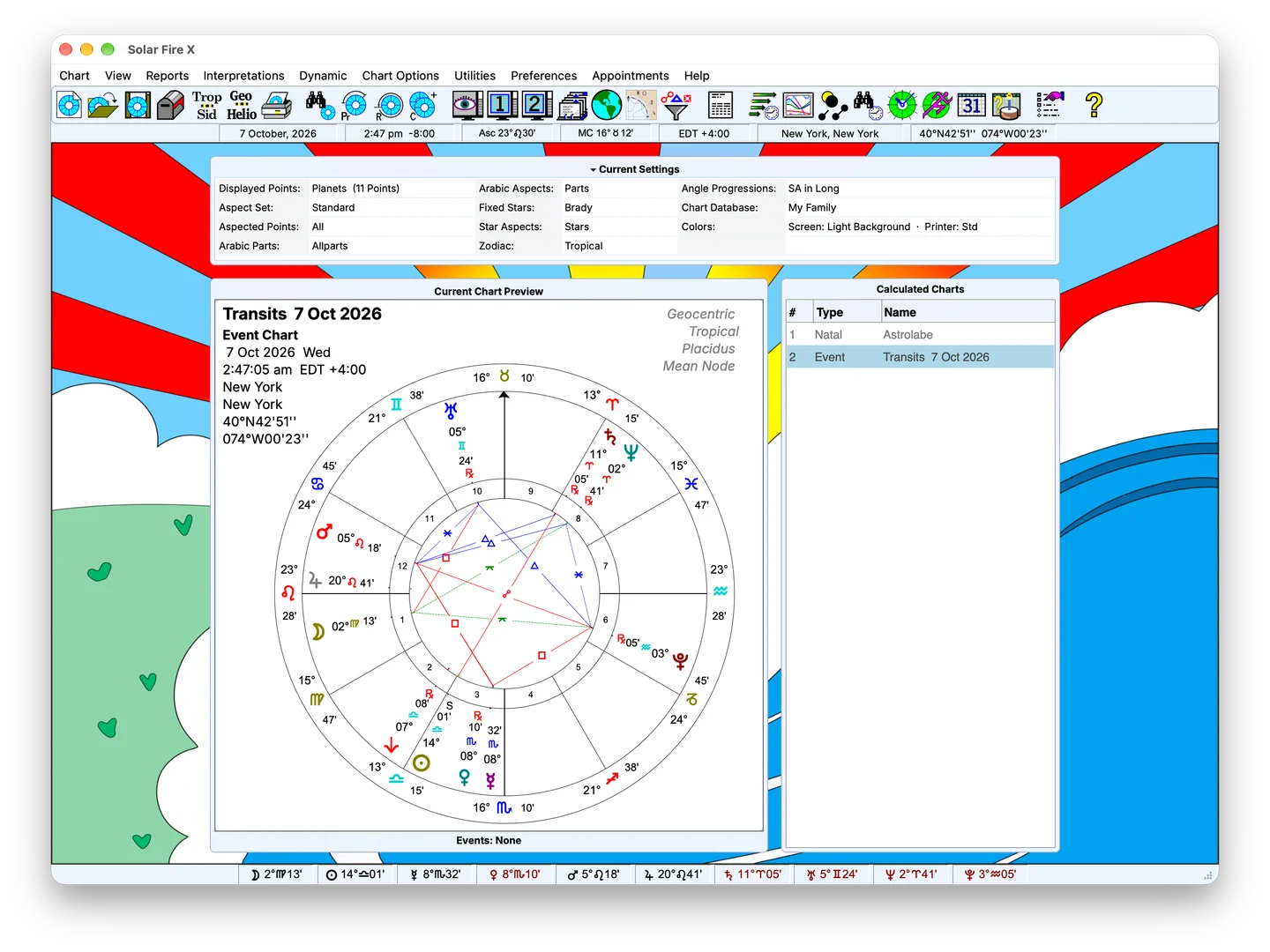
Solar Fire X main screen with chart preview and calculated-chart list

Compare positions in one view

Use multiwheels to examine chart layers together, or a two-chart synastry grid to inspect contacts between charts. Choose a relevant point and aspect set so the comparison addresses the question being studied.

A natal chart and solar return, for example, can be compared with each layer identified and the chosen aspects visible.

FIG. 03 · WHEELS AND MULTIWHEELS
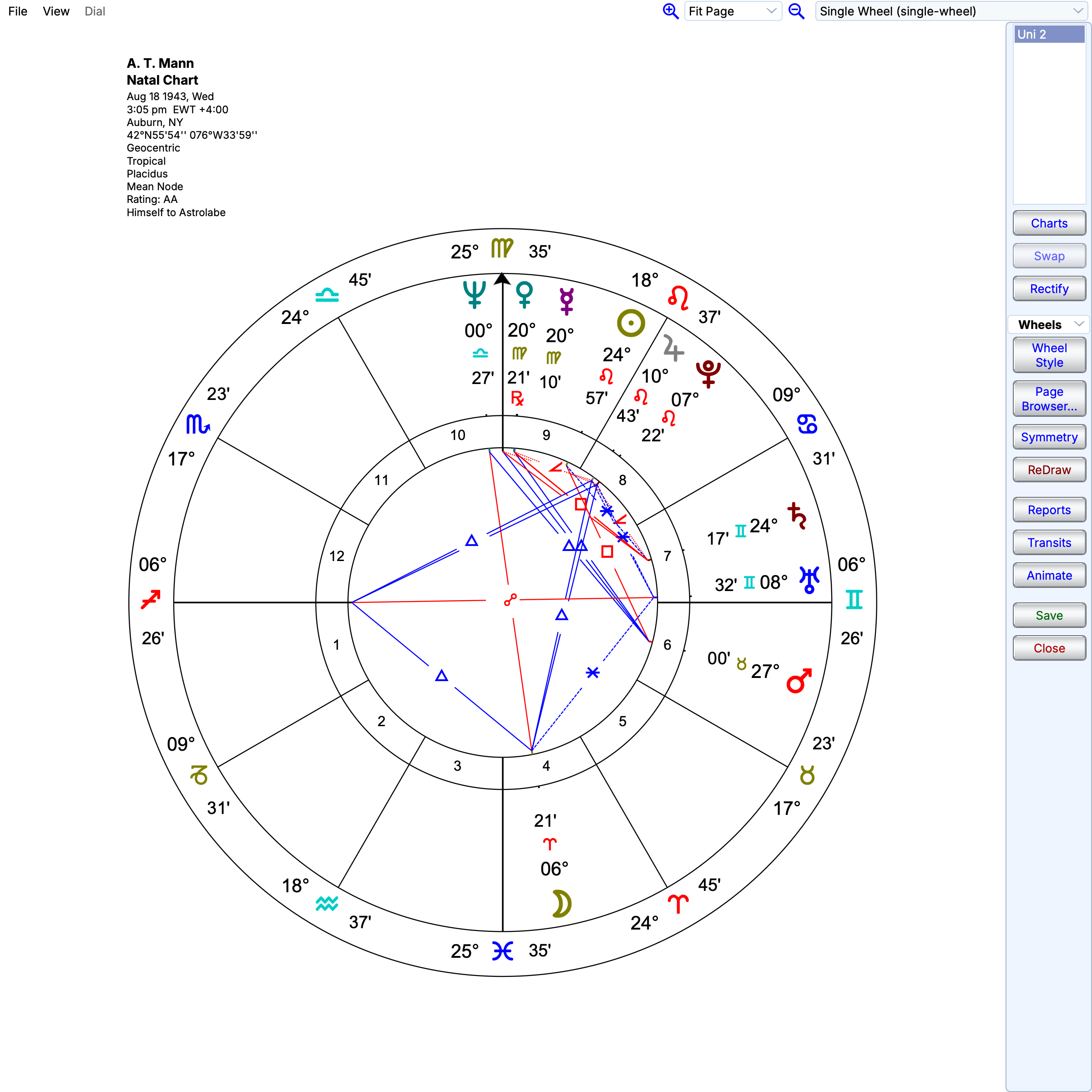
A. T. Mann natal chart in the Solar Fire X chart viewer
Single-wheel natal chart calculated from the supplied A. T. Mann record.

Configure the presentation

Wheel Designer lets you work on the chart's rings, glyphs, placement and style. Page Designer lets you arrange wheels, grids and tables into a reusable layout.

Save a layout for the way you work, whether you need a detailed study page or a focused chart for a consultation.

FIG. 04 · POINTS AND ASPECTS WITHOUT ARBITRARY LIMITS
Solar Fire X main screen with chart preview and calculated-chart list

Keep exploring

Related features

Buy Solar Fire X now, or upgrade from a previous version.

Calculate charts, explore timing and locations, and create chart pages for your practice with Solar Fire X.