The New Chart Data Entry Dialog Box
>> To begin casting a new chart
•On the Main Screen, click on the Charts menu and choose New.
This will display the "New Chart Data Entry" dialog box into which natal details and chart options may be entered.
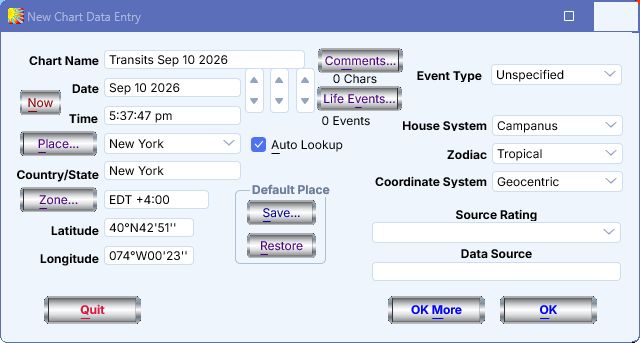
When this dialog box is displayed it will already contain data. If you have not yet cast or opened a chart since the program was started, then the data displayed is whatever has last been saved as default values. (See Saving and Restoring Settings for details of how to alter default values.) Otherwise it will contain the data from the last chart that was cast or opened.
Solar Fire X by Astrolabe Inc Copyright © All rights reserved.