Import Options
In the "Import Charts and Settings" dialog you can set one of the various import options below.
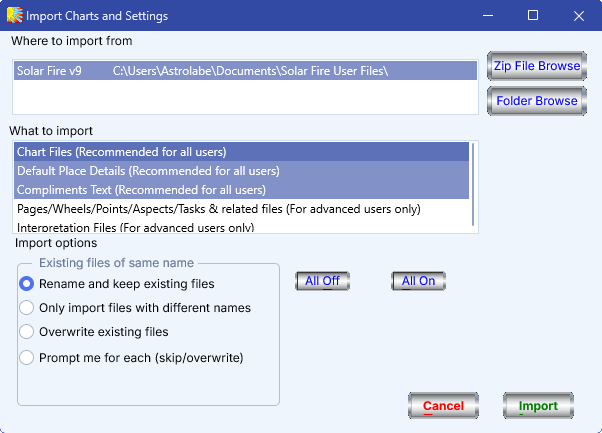
•Rename and keep existing files – Use this option to ensure that all existing files are kept and remain available in addition to any newly imported files. Any existing files in your current copy of Solar Fire that have the same name as files you are importing are simply renamed first, by appending a number to the end of the existing file name (for example, Main.cht is renamed to Main_2.cht).
•Only import files with different names – Use this option to keep all existing files, and import only those files that have different names from existing files.
•Overwrite existing files – Use this option to adopt all imported files, keeping only those existing files that have a different name from any of those being imported.
•Prompt me for each (skip/overwrite) – Use this option to decide on a file-by-file basis whether to import any existing file which has the same name as an existing file.
Note: You can use different import options with different import items. To do so, just choose one item on the What to import list to import, and set the require import option separately for each one before importing.
Solar Fire X by Astrolabe Inc Copyright © All rights reserved.