Creating a New Track or Event Collection
From the ‘Track’ menu, select ‘Create New Track’, choose the color and then confirm the instruction screen. Click the point of the event, or click the start of the hurricane track, or journey you have made, or wish to make. Then click the key points of the track, See purple circles on map below.
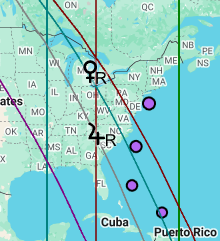
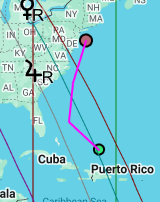
Then return to the ‘Track’ menu and choose ‘Close New Track’ . You will be taken to a screen to name the track. Click Ok and the event or track will appear on the map.
Solar Fire X by Astrolabe Inc Copyright © All rights reserved.